

SQL Formatter Options
Options
SQL Alignment
The SQL Alignment Options in the SQL Formatter Tool allow you to customize the indentation and alignment of SQL keywords and clauses. This ensures your SQL code is structured, readable, and adheres to specific formatting styles such as the Axis River Concept.
Indentation
- SQL Indention (ID005)
- Allows you to set the type of indentation applied to the SQL script (e.g., spaces or tabs).
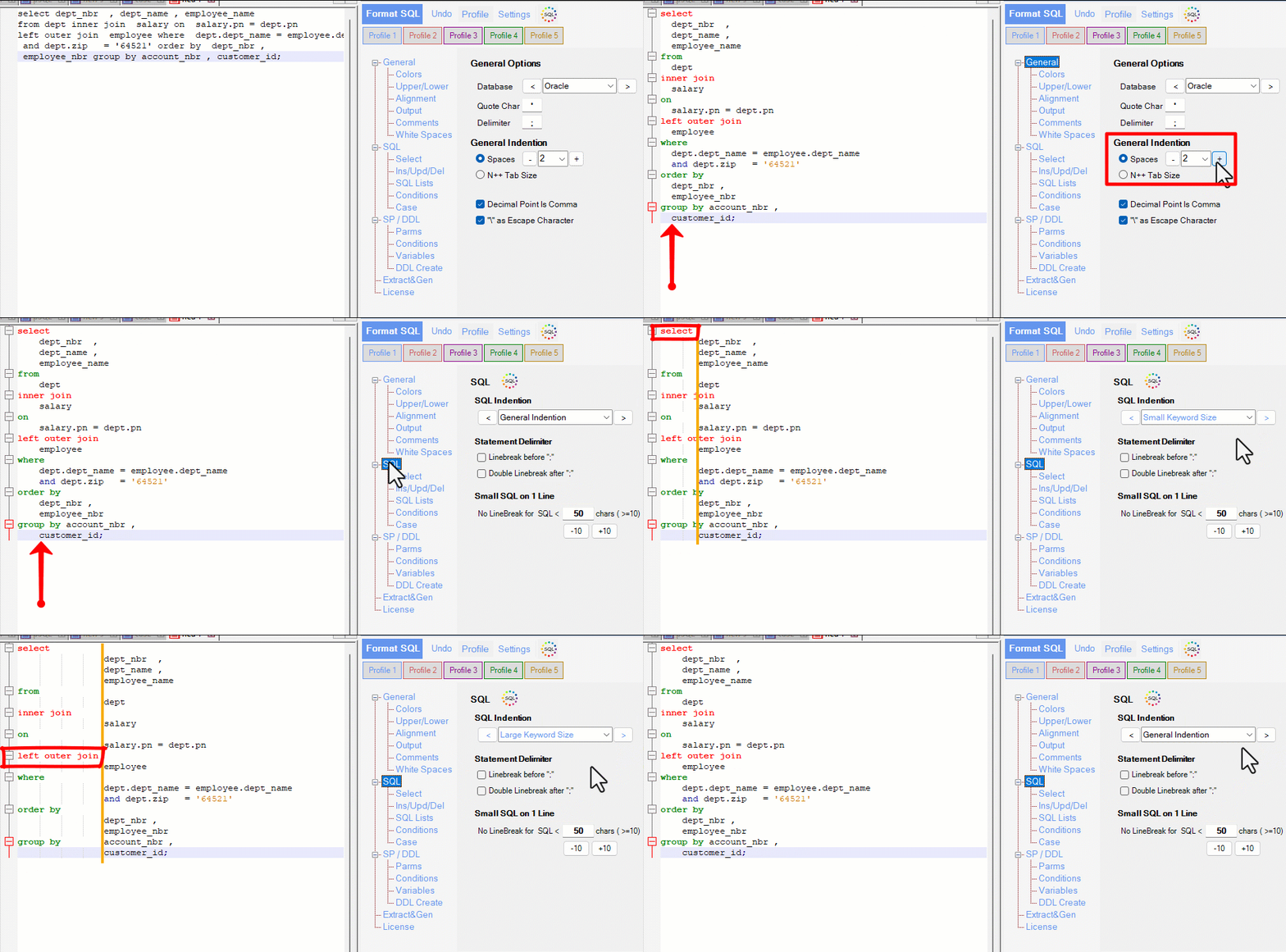
General Indention
- Select General Indention to apply the default indentation style configured in the general settings.
- If you want the same indention for the SQL main keywords as everywhere just leave the SQL Indention set to „General Indention“.
Large Keyword Size
- But sometimes we want nice alignment for the main SQL tokens. They should be aligned with the main keywords. In the SQL below the largest keyword is „left outer join“ and therefore all tokens are aligned to „left outer join„.
- The indention for case keywords is still the size mentioned in „General Indention“.
Small Keyword Size
- If „Large Keyword Size“ does not fit to your need you can choose „Small Keyword Size“. SQLinForm will look to all the main keywords:
select, from, left outer join, where, order by, group by
and take the size of the largest first word of the keywords to determine the indention size which is in this example the size of „select“ keyword. „select“ is larger than from, left, where, order, group
The indention for case keywords is still the size mentioned in „General Indention“.
Align Master Keywords
- Justify Right SQL Keywords (ID034)
- Aligns SQL master keywords (e.g.,
SELECT,FROM,WHERE) to the right for a unique formatting style. - This option is commonly used in certain SQL formatting standards to emphasize keywords.
- Aligns SQL master keywords (e.g.,