

200+ Formatter Options
Options
General Options
The General Options in the SQL Formatter Tool allow you to configure overall settings for SQL formatting, including database-specific settings, indentation preferences, and special character handling. These settings ensure consistent and tailored formatting for your SQL scripts.
General Options
- Database (ID033): Select the target SQL dialect (e.g., MySQL, Oracle, PostgreSQL) or choose
AnySQLfor generic formatting.
- Quote Char (ID007): Choose the character to use for enclosing string literals, such as single quotes (
') or double quotes ("). - Delimiter (ID160): Specify the delimiter for separating SQL statements, usually a semicolon (
;).
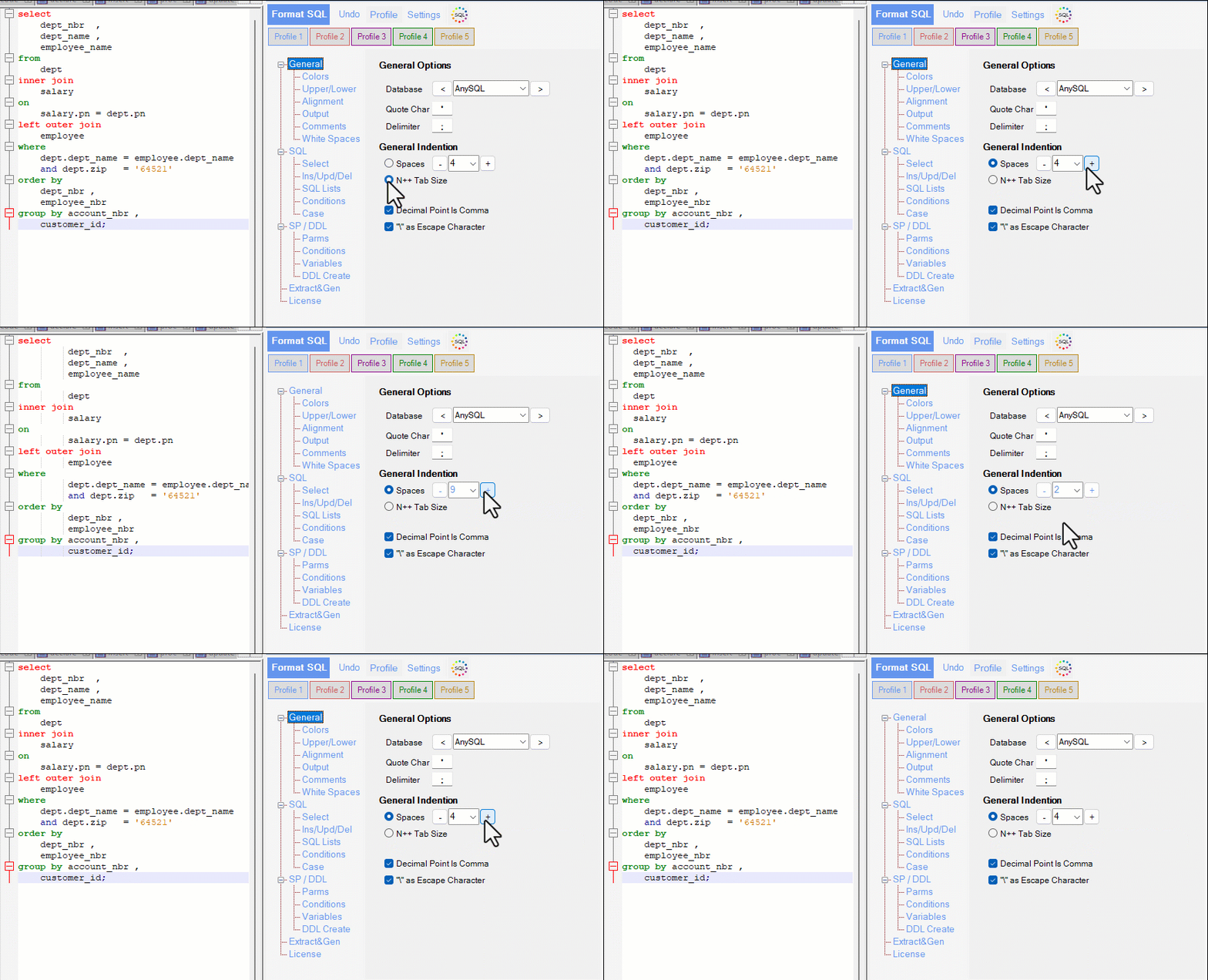
General Indention
- Spaces (ID002): Define the number of spaces to use for indentation in your formatted SQL. Use the buttons to increase or decrease the value.
- N++ Tab Size (Only N++ Plugin): Enables compatibility with Notepad++ by aligning tab sizes with its settings.
- Use N++ Tabs in Output Indention (Only N++ Plugin): When enabled, the formatter uses actual tab characters instead of spaces for indentation, adhering to Notepad++’s configuration.
Special Characters
- Decimal Point is Comma (ID018): Check this option if your SQL syntax uses a comma (
,) as a decimal separator (common in some European locales). \as Escape Character (ID074): Enable this option if your SQL strings use a backslash (\) as the escape character.