Major New Release for SSMS18, SSMS19, SSMS20, SSMS21 and SSMS22
Integrated Formatting Options Panel
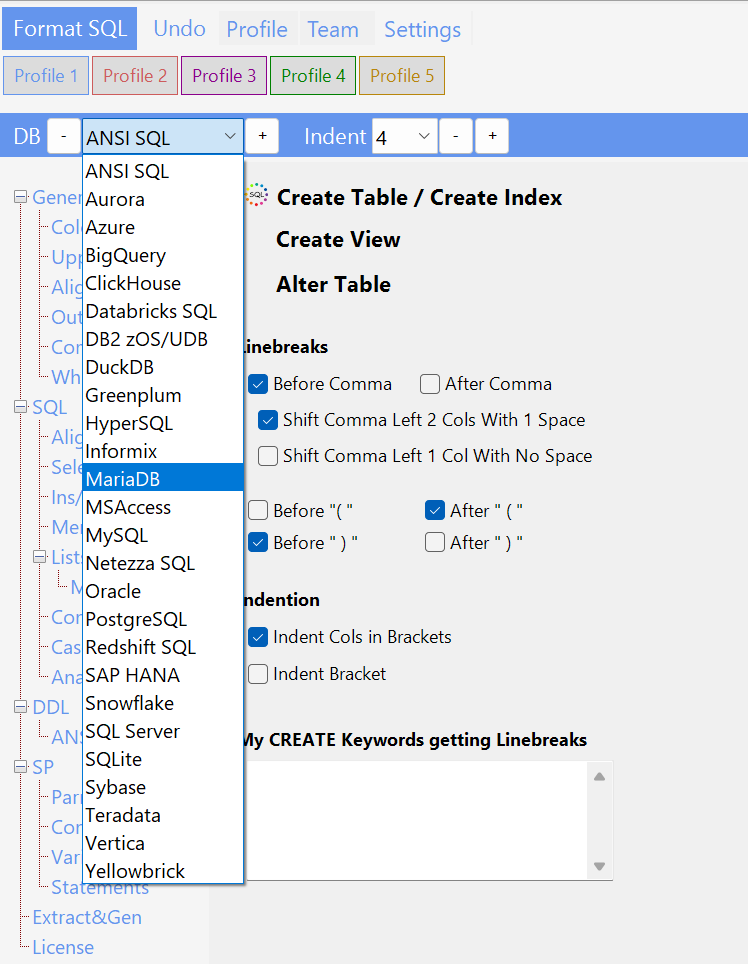
The new Formatting Options Panel is now available as a dockable tool window within SSMS. Access it via Tools → SQLinForm → Formatting Options or use the keyboard shortcut Alt+S, Alt+O.
5 Customizable Profiles
Manage up to 5 independent formatting profiles, each with its own set of options. Switch between profiles instantly using the profile buttons at the top of the panel. Rename profiles to match your workflow – for example, „Production“, „Development“, or database-specific names like „Oracle“ or „SQL Server“.
Organized Category Tabs
All formatting options are organized into intuitive category tabs on the left side of the panel:
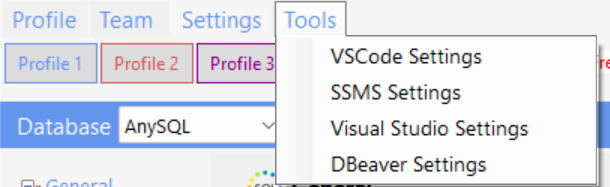
Tools Menu with Profile Management
The Tools button provides quick access to powerful profile management features:
Release 25.11.xx (November 2025)
1. More ANSI DDL statements supported
SQLinForm can now parse and format standard ANSI DDL (Data Definition Language) statements. This enables formatting of SQL scripts that define and modify database structures — not just queries.
✅ Tables – Supports CREATE TABLE (including TEMPORARY, GLOBAL TEMPORARY, IF NOT EXISTS, and OR REPLACE), as well as ALTER TABLE, DROP TABLE, and TRUNCATE TABLE.
✅ Views – Format CREATE VIEW, CREATE OR REPLACE VIEW, CREATE OR ALTER VIEW, ALTER VIEW, and DROP VIEW.
✅ Indexes – Recognizes CREATE INDEX with UNIQUE, CLUSTERED, NONCLUSTERED, and OR REPLACE options, as well as ALTER INDEX and DROP INDEX (with IF EXISTS and ON table syntax).
✅ Triggers – Supports CREATE TRIGGER, CREATE OR REPLACE TRIGGER, CREATE OR ALTER TRIGGER, ALTER TRIGGER, and DROP TRIGGER. Includes REPLACE TRIGGER for Teradata.
Request database-specific support
If you need SQLinForm to recognize and format special DDL syntax for your database, please contact us via 📧 info@sqlinform.com or post your request in the community forum: 🌐 forum.sqlinform.com
2. Added More Databases
Supported Databases
SQLinForm supports a wide range of SQL dialects across major database systems.
✅ ANSI SQL
✅ Aurora
✅ Azure SQL
✅ BigQuery
✅ ClickHouse
✅ Databricks SQL
✅ DB2 (z/OS & UDB)
✅ DuckDB
✅ Greenplum
✅ HyperSQL
✅ Informix
✅ MariaDB
✅ MS Access
✅ MySQL
✅ Oracle
✅ PostgreSQL
✅ Redshift SQL
✅ SAP HANA
✅ Snowflake
✅ SQL Server
✅ SQLite
✅ Sybase
✅ Teradata
✅ Vertica
✅ Yellowbrick
SQLinForm continuously evolves — new dialects are added regularly to ensure precise formatting for every major SQL environment.
3. Quick Start. Import Popular Formatting Styles with One Click
Release 6.25.10.xx (October 2025)
Axis Alignment Style for CASE Statements
Release 6.25.09.xx (September 2025)
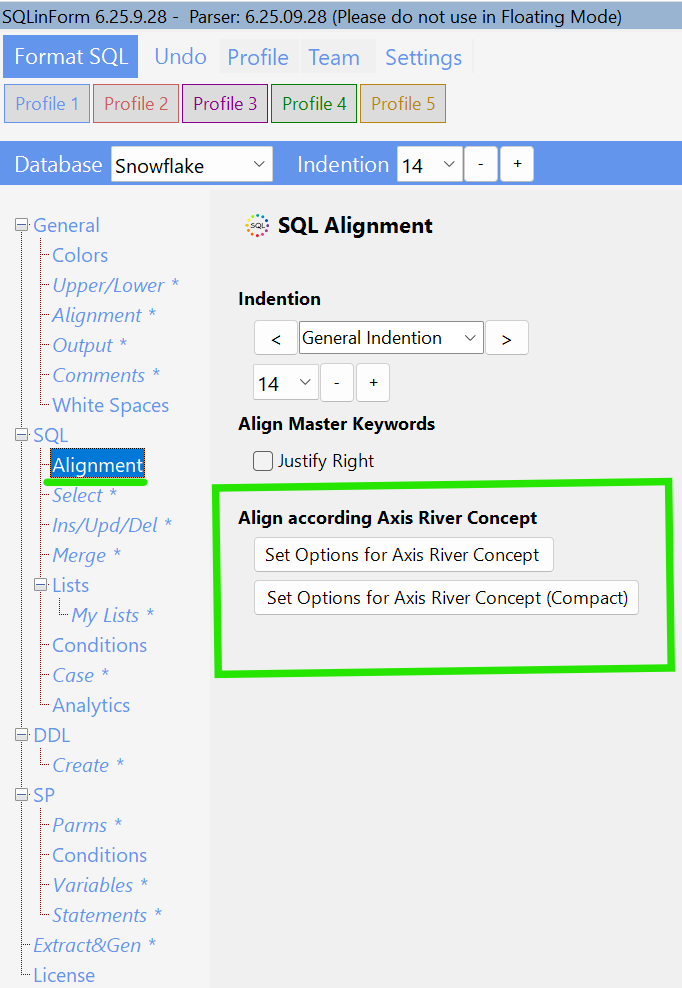
Added a compact Axis Alignment Style
Compact Axis Alignment
Standard Axis Alignment
GUI Option
Release 6.25.08.xx (July+August 2025)
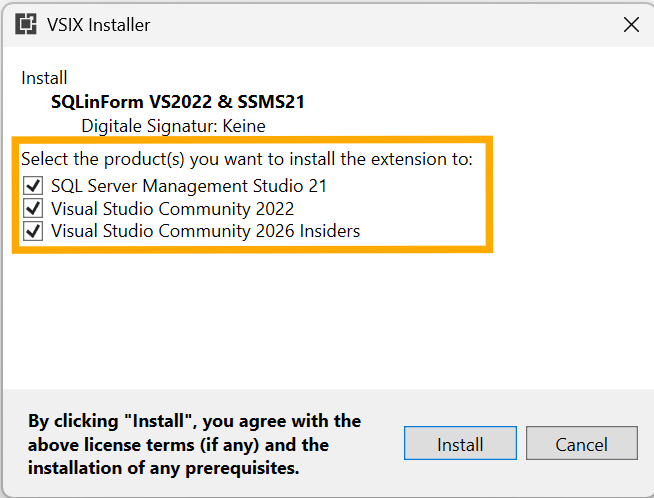
Plugin also available for Visual Studio 2026
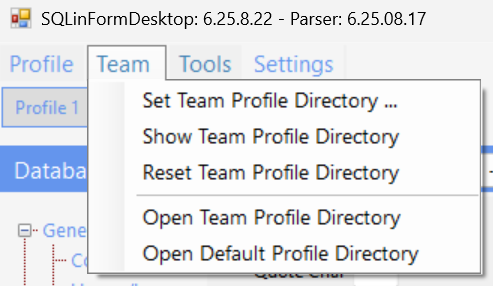
Share your Profiles with all Team Members between all Plugins
Release 6.25.05.xx (May 2025)
More Options for DDL Statements
Release 6.25.04.xx (April 2025)
More Options for SP Statements
Release 6.25.03.xx (March 2025)
Added BigQuery to the list of supported DB
We are excited to announce that SQLinForm now offers support for Google BigQuery! 🚀
With this new enhancement, you can format and beautify your BigQuery SQL queries effortlessly, ensuring clear, readable, and well-structured code. Whether you’re working with complex analytical queries or managing large datasets, SQLinForm makes it easier than ever to maintain clean and consistent SQL formatting.
Happy formatting! Your SQLinForm Team
Release 6.25.02.xx (February 2025)
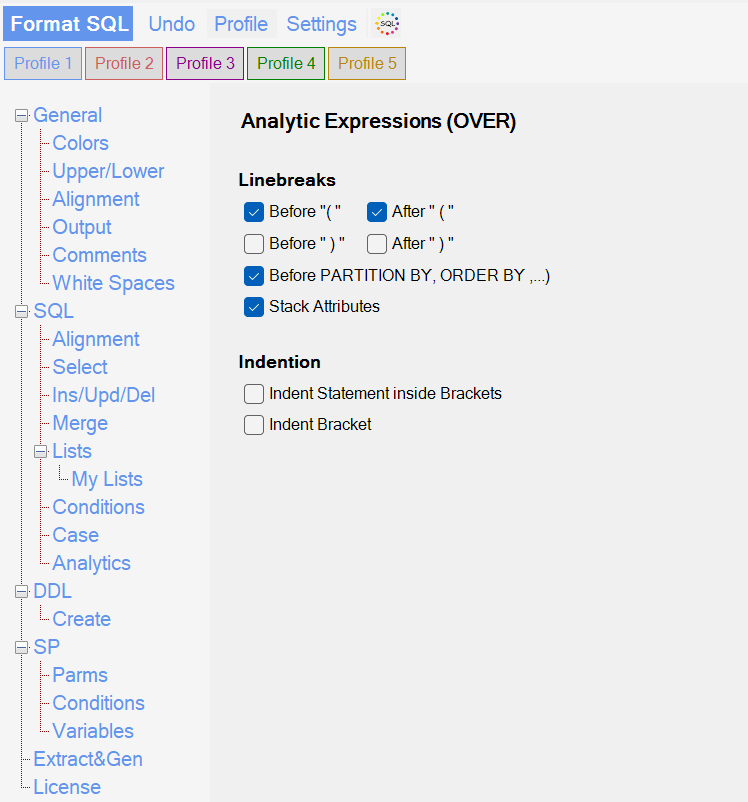
New Formatting Options for Analytic Expressions (OVER Clause)!
I am excited to introduce new formatting options in SQLinForm, designed to improve the readability and structure of analytic expressions using the OVER clause. These enhancements provide greater control over how elements like PARTITION BY, ORDER BY, and window frame specifications are formatted in your SQL queries.
Key Features of the New Formatting Options:
✅ Customizable Line Breaks – Choose where to insert line breaks before or after parentheses and key SQL clauses inside OVER(). ✅ Stacked Attributes – Display partition keys, order conditions, and frame specifications in a structured, readable format. ✅ Indentation Control – Adjust the indentation of elements within the OVER clause to match your preferred style.
With these improvements, SQLinForm ensures that your SQL code remains clear, consistent, and easy to maintain. Try the new formatting options today and optimize your SQL workflow!
Release 6.25.01.xx (January 2025)
More Flexibility working with the Preview SQL Box
We are excited to introduce a new feature in SQLinForm: the Preview SQL Textbox. This enhancement allows you to instantly visualize how changes to formatting options affect your SQL code, streamlining the customization process.
Key Features:
Panel-Specific Examples: Each options panel comes with its own example SQL code, enabling you to see the immediate impact of adjustments within that context.
Pinning Functionality: You can pin a preferred example SQL, which will then be displayed across all option panels. This consistency helps in understanding how global changes influence your SQL formatting.
Benefits:
Immediate Feedback: As you modify formatting settings, the Preview SQL Textbox updates in real-time, providing clear insight into the results of your adjustments.
Enhanced Customization: With the ability to pin example SQL, you can focus on specific code structures, ensuring that your formatting preferences are applied uniformly across different SQL scenarios.
This feature is designed to make SQLinForm more intuitive and responsive to your formatting needs, enhancing your overall experience.
Online Help for 200+ Options available
There is now Online Help available for each and every Formatting Option. It can be accessed via the „Online Help“ Button available on each panel. The online help includes screen shots and short videos.
Bug Fix
The January 2025 Release got a small bug fix. User defined Keywords were not recognised when they were not specified in lower case. With the fix, user defined keywords are also recognised with upper case chars.
Release 6.24.11.xx (November 2024)
Axis Formatting with one Click
What does „Axis Formatting“ mean?
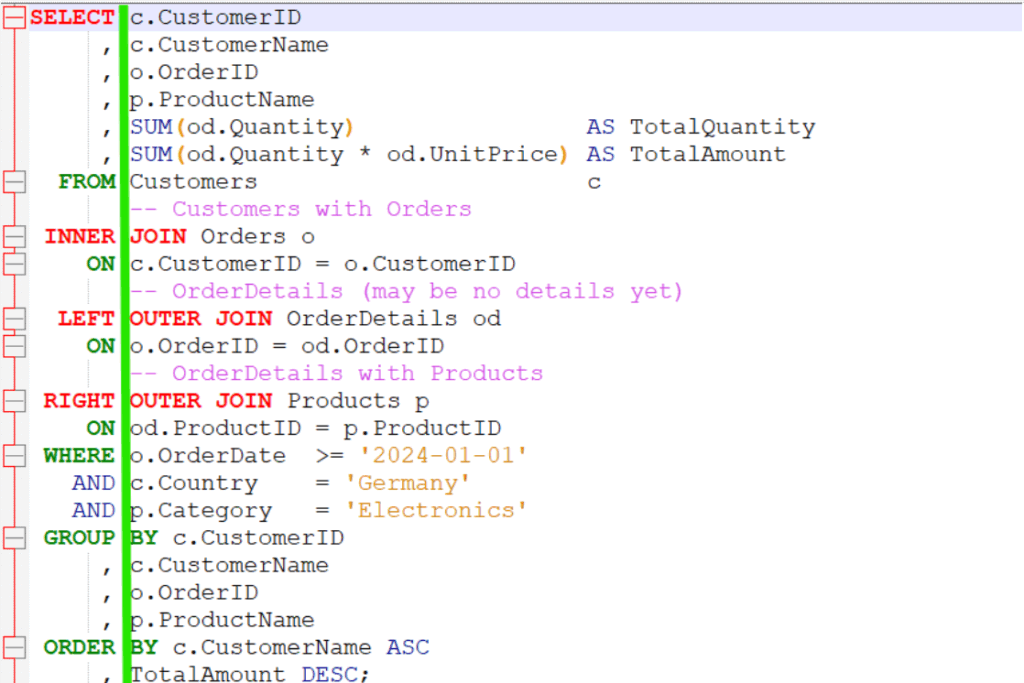
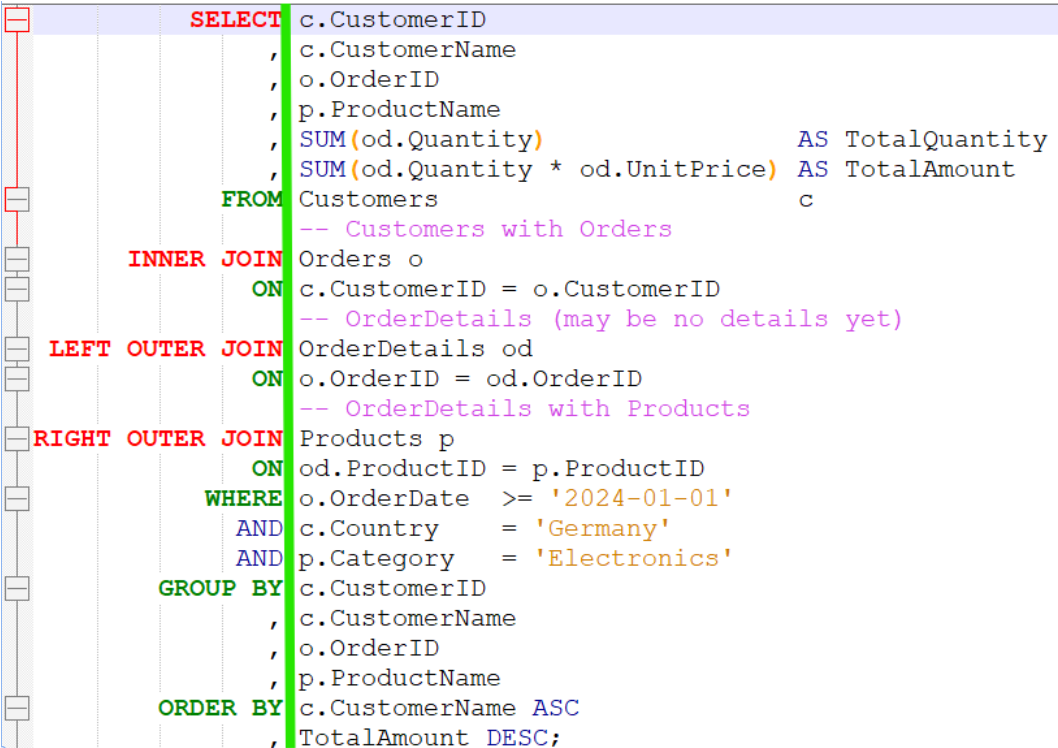
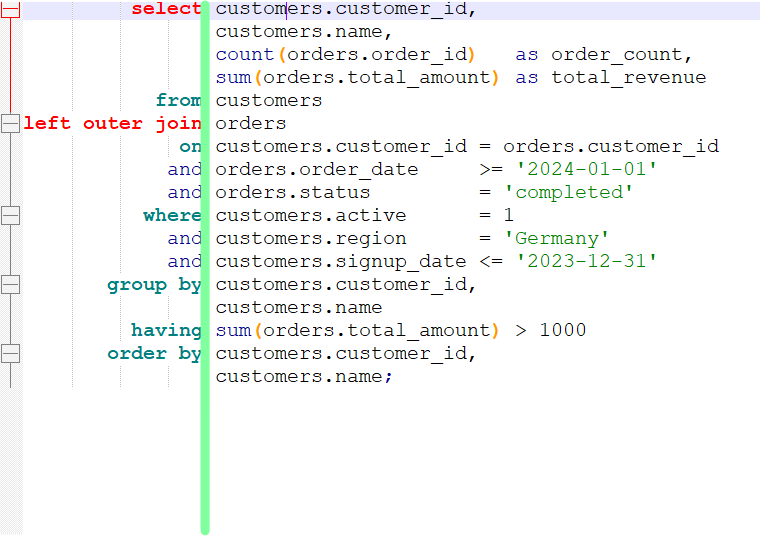
„Axis formatting“ in the context of SQL statements refers to organizing the code to enhance readability by aligning related elements (often on a vertical axis). This is achieved by arranging SQL keywords, operators, or expressions into columns or consistent positions in the code. This formatting style makes it easier for developers to scan, understand, and debug the query structure at a glance.
Align Columns and Expressions: For readability, columns in a SELECT clause and conditions in a WHERE clause can be indented consistently without unnecessary spacing. Align SQL keywords consistently along a primary axis. be indented consistently without unnecessary spacing.